
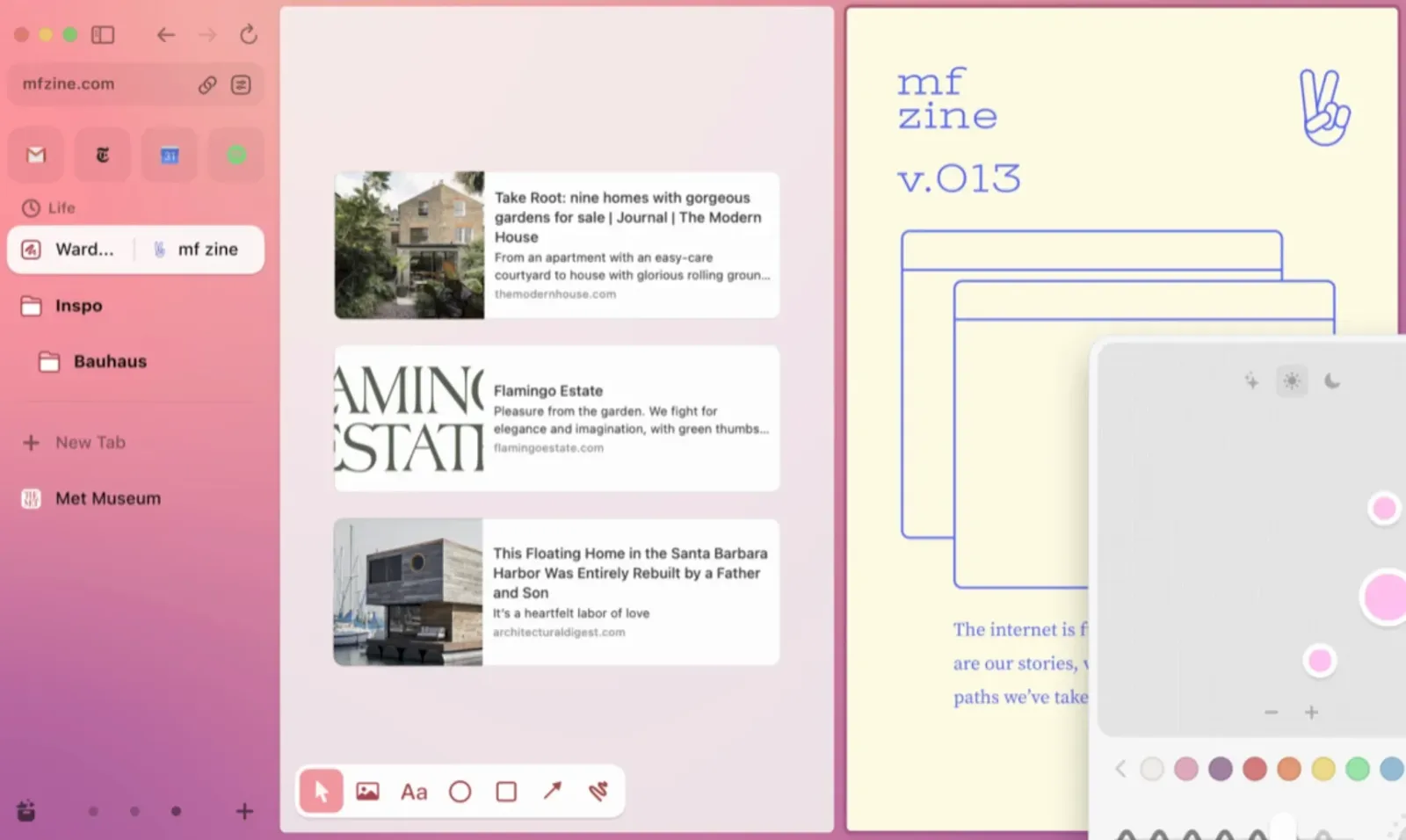
Arc Browser is one of the newest arrivals in the browser app space, and it is taking on Google Chrome as an interesting alternative. But does it live up to the hype, and is it worth adopting?
What does Arc Browser do?
Arc Browser is a browser available on Windows and Mac that lets you browse the internet in a much cleaner user interface.
Since its launch it has become very popular with many professionals, who use it as a better alternative to Google Chrome. It offers a combination of customizations, keyboard shortcuts and better ways to navigate the web using tabs and spaces. The goal is to help you organize your space on the web better.
Google Chrome has been one of the apps that ruled the browser space for many years. This browser wants to try to take the lead by creating a better browsing experience. To do so, it offers a clean, calm layout that uses the whole screen and lets you access your tabs on the left-hand side. It also offers an AI experience that can be added to your account. And it offers an iOS app called Arc Search, which lets you browse the web.
But how does it compare, and what are Arc Browser’s best features?
Arc Browser’s best features
Here are some of the best things about Arc Browser:
Feature #1: Tabs and spaces
Tabs and spaces inside Arc Browser let you organize your account a little more effectively. You can go from work to study to leisure simply by switching from one space to another. This helps you better organize what you are working on, stay focused and make the most of your actual screen space to better coordinate the things you do.

Feature #2: Arc Max
Arc Max is an AI experience you can access when using Arc in the desktop version of the browser. It is essentially a smarter way to quickly summarize pages and ask questions about them. It also gives you quick access to tools such as ChatGPT through the command bar inside Arc.
It is a tool many people use to browse the web faster. For example, you can hold Command-F and quickly get an answer from Max, which lets you pull all the context from the page and ask questions about it.

There are also features such as five-second previews and Ask ChatGPT, which save you a little time on opening a page so you don’t have to do it yourself. There are also capabilities such as tidy tab titles. It is simply a smarter addition to the Arc browser experience, and there is no extra cost for now.
To be honest, it was pleasant to use. But it is something that will probably change your outlook on how you access the web, rather than something many people will find beneficial.
Feature #3: iOS app (Search)
To be honest, this is not really a feature. It is more of a standalone app available on iOS, an AI-powered mobile browsing app. It lets you quickly search for a term and get the cleanest way to browse, with the recommendations best suited to you. Basically, Arc Search works like this: you type a command such as “find good restaurants near me that serve vegan dishes,” for example. You can also set options such as blocking ads, cookies and trackers, which lets you refine your search.

But essentially, once you have typed that command, you can get a summary of the page in the blink of an eye. This gives you useful information and the most recommended content for the task at hand. To be honest, it is just a small version of the Arc browser, one that works more as a handy way to run quick searches in the browser on the go.
But to be honest, when I used it for this review, I was not very impressed by the speed at which it handled the search terms. You had to wait 10 to 15 seconds before the search command showed any results. To be honest, I have had much faster experiences with Google Search when on the go.
Was this article helpful?
Thank you! Your feedback helps us choose our next topics. Get the next articles